---
title: I forgot my password. How do I reset it?
description: Forgotten your HealthBank password? Request a reset link from the sign-in page and choose a new password.
image: https://help.healthbank.io/hubfs/Help%20article%20graphics/Home/help-centre-share.png
---
[Skip to content](https://help.healthbank.io/i-forgot-my-password.-how-do-i-reset-it#main-content)
Open main navigation
Close main navigation
Advice and answers from the HealthBank Team
- There are no suggestions because the search field is empty.
1. [HealthBank Help Centre](https://help.healthbank.io/?hsLang=en)
2. [Account & settings](https://help.healthbank.io/account-settings?hsLang=en)
October 21, 2026
# I forgot my password. How do I reset it?
## These are the steps to follow to reset you password
1. Go to the **sign in** page - https://dashboard.healthbank.io/sign-in
2. Click **Forgot Password?** link
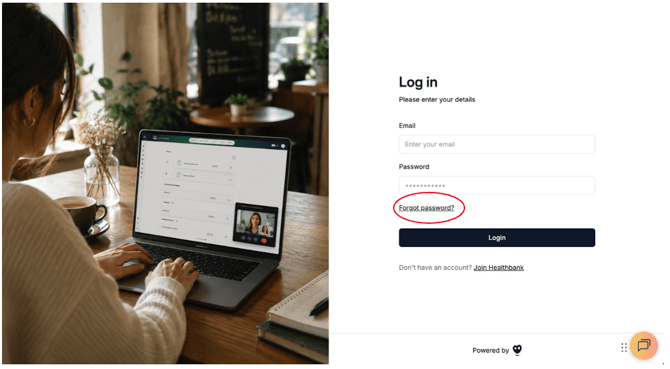
3. Enter your email address that you signed up with
4. Click **Reset Password
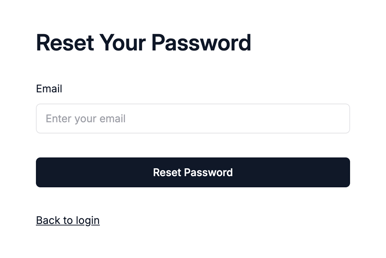**
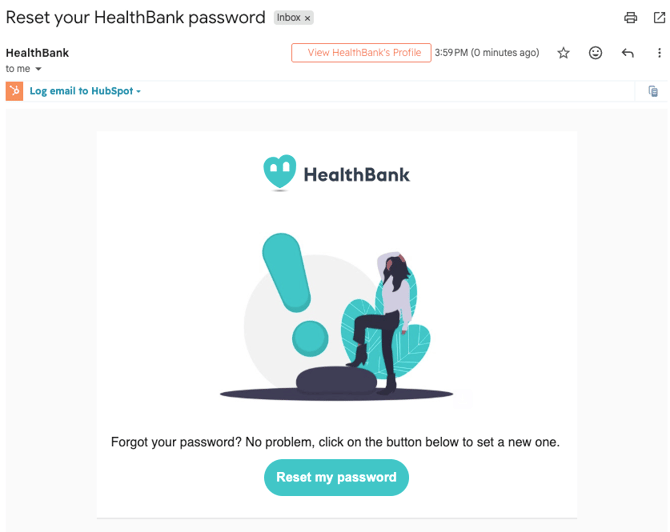
5. You will receive an email to request for your to reset your password. **Click Reset my password**.
6. You will be taken to a page to reset your password. Choose a new password and click **Update Password**.
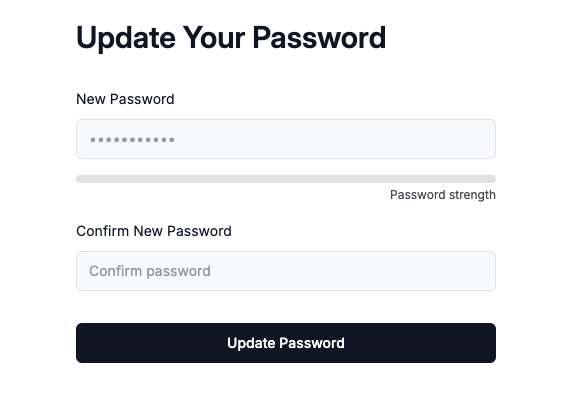
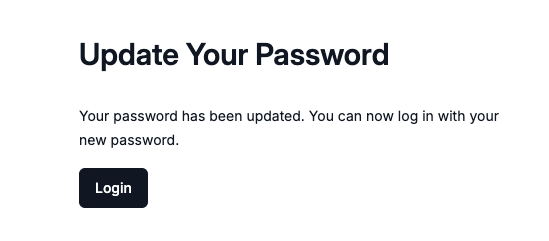
7. Once you have updated your password click **Login** and it will redirect you back to the login page. Enter your email address and new password.
[](https://www.dashboard.healthbank.io)
HealthBank
85 William Street,
Sydney
[mailto:support@healthbank.io](mailto:support@healthbank.io)
Copyright © 2026, HealthBank Technologie Pty Ltd