---
title: Uploading blood tests into your Health Record
description: Upload your blood test results to HealthBank so key markers are added to your Health Record and you and your practitioner can track them over time.
image: https://help.healthbank.io/hubfs/Help%20article%20graphics/Home/help-centre-share.png
---
[Skip to content](https://help.healthbank.io/how-do-i-upload-blood-test-results#main-content)
Open main navigation
Close main navigation
Advice and answers from the HealthBank Team
- There are no suggestions because the search field is empty.
1. [HealthBank Help Centre](https://help.healthbank.io/?hsLang=en)
2. [Clients & health records](https://help.healthbank.io/clients-health-records?hsLang=en)
October 21, 2026
# Uploading blood tests into your Health Record
## How to upload your pathology and or test data
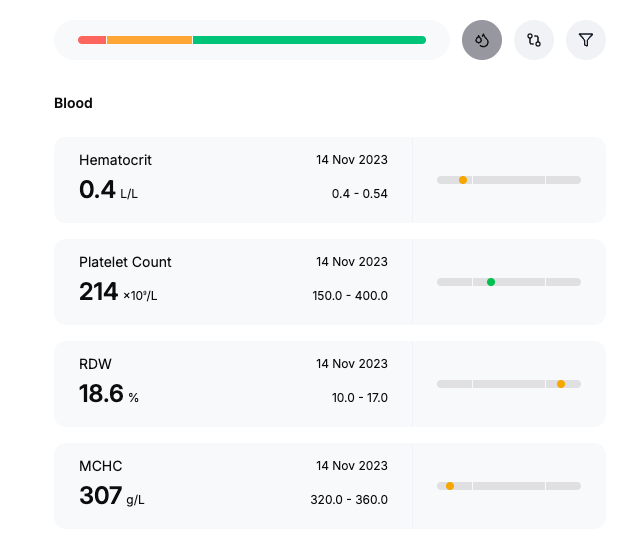
Clients can securely upload their blood test data directly into the HealthBank platform, ensuring that important results are stored in one central, easy-to-access location. Once uploaded, the system automatically ingests and organises the data, mapping key markers to your HealthRecord. This allows both you and your practitioner to review historical and current blood results side by side, supporting more informed decision-making and personalised, preventative care. All information is handled in accordance with strict privacy and security standards, so you and your practitioner can confidently use these insights as part of an ongoing, collaborative health plan.
To upload a test result, follow these steps:
1. Click **Health Record**.
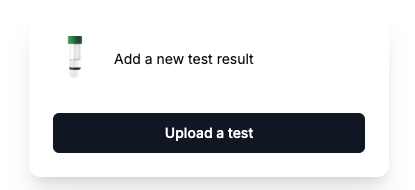
2. Click **Upload a test**.
3. Choose **Upload a test** or **Select from files** .
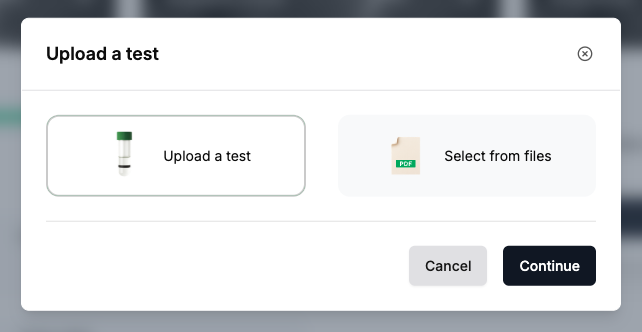
4. Upload your test result in PDF or Word format and click **Continue**.
5. Your results will be digitised on your **Health Record** and the original document will be saved in your **Files**.
[Open HealthBank →](https://dashboard.healthbank.io/app/dashboard)
[](https://www.dashboard.healthbank.io)
HealthBank
85 William Street,
Sydney
[mailto:help@healthbank.io](mailto:help@healthbank.io)
Copyright © 2026, HealthBank Technologie Pty Ltd