.svg)
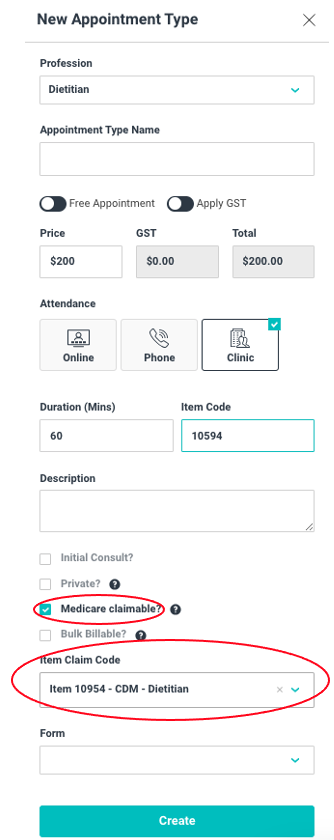
The first step in this process is creating the Medicare claimable appointment in your appointment settings. Follow these steps:
- Click SETTINGS
- Click APPOINTMENTS
- Click + NEW
- Give the appointment a name of your choice
- Enter the price of your appointment
- Choose the preferred attendance mode. Please note that there may be different item codes for different attendance modes so you will have to do them separately.
- Enter the duration (in minutes)
- Enter the item code number (this translates to the invoice)
- Enter a description (optional)
- Check the MEDICARE CLAIMABLE box for a patient partial claim
- If it is a bulk billed appointment make sure you check the box
- Select the ITEM CLAIM CODE from the dropdown selection
- Click CREATE
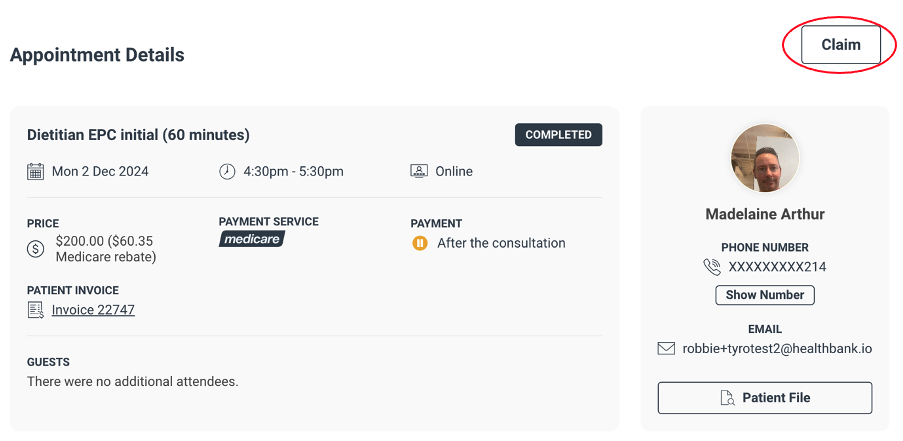
To process a Medicare claimable appointment, follow these steps:
On the Appointment Summary page, click CLAIM in the top right corner. This will bring up the Tyro Health claim box
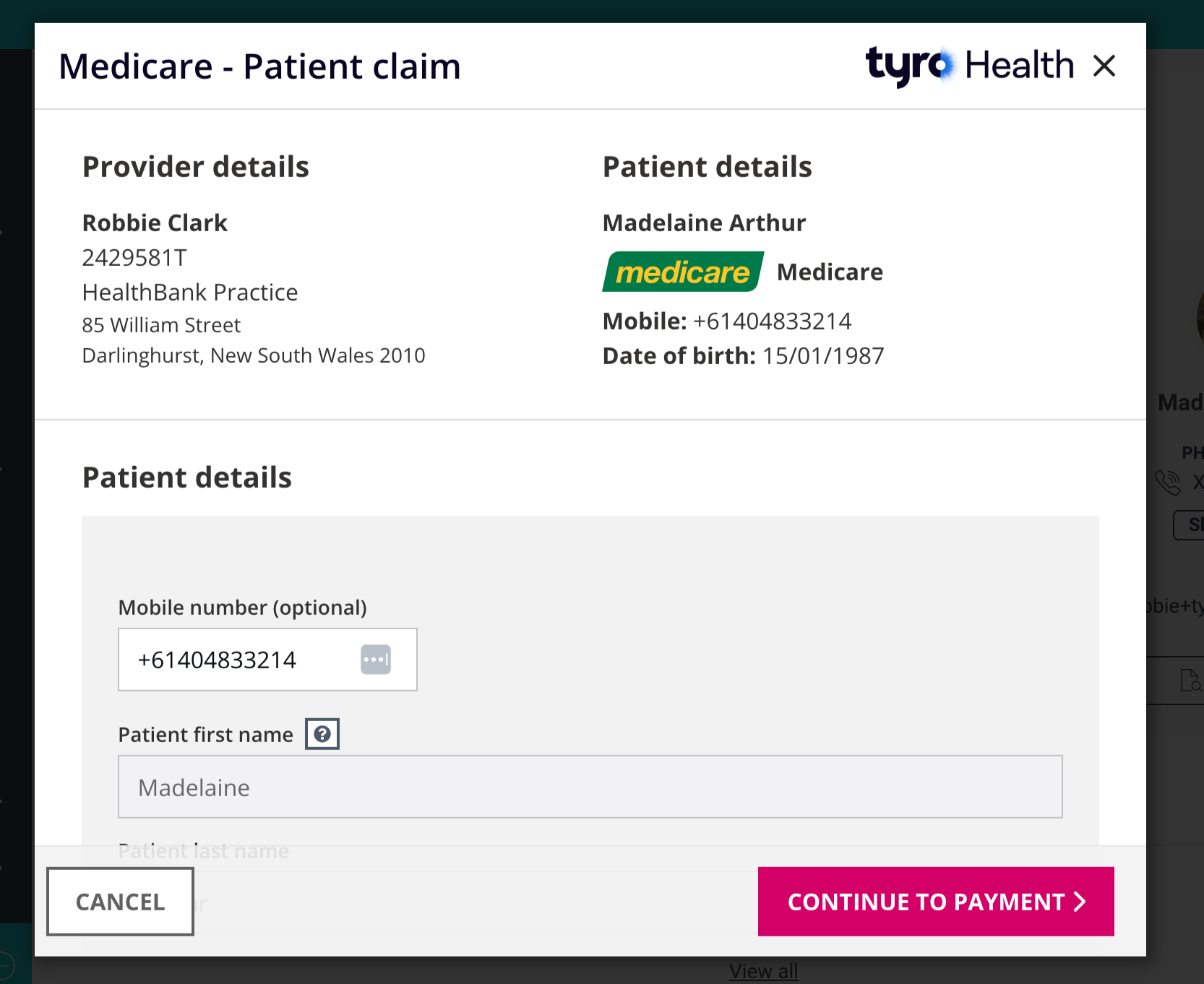
- Make sure the patient details are correct
- Enter the patient Medicare care details
- Click VERIFY MEDICARE DETAILS
- Select THE PATIENT as the claimant of the MBS benefit
- Enter the REFERRAL DETAILS (of the GP or specialist) - Provider number, issue date
- Make sure the SERVICE ITEM is correct
- Click CONTINUE TO PAYMENT
The patient will then receive notification of the claim and will be prompted to complete the claim.