.svg)
Adding your phone number to your profile helps your practitioner contact you should there be a need to. Below are the steps to add your mobile number through the web portal or mobile app.
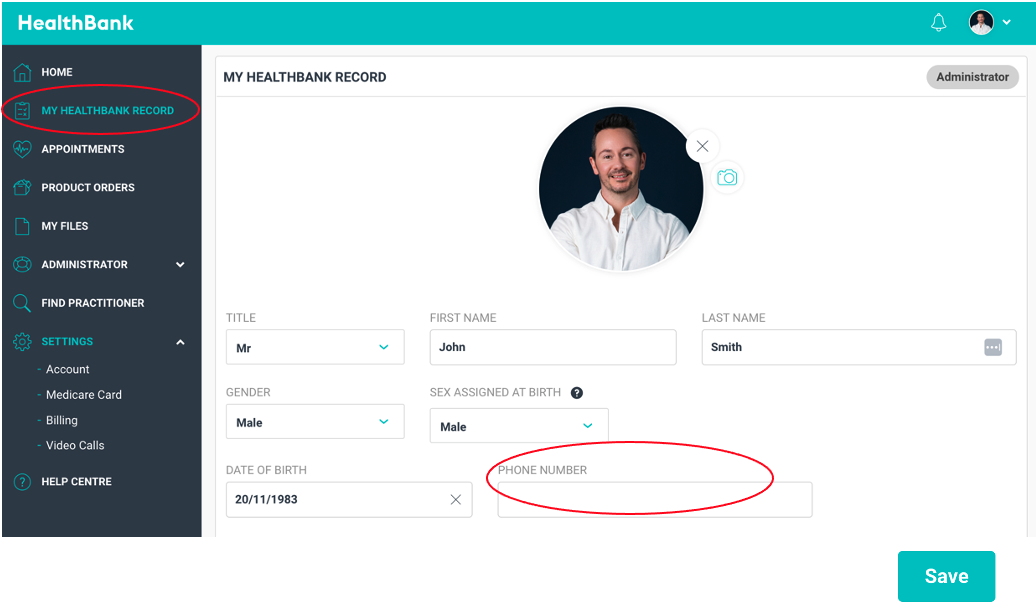
Web portal- Log in to your portal - https://www.healthbank.io/users/sign_in
- Click MY HEALTHBANK RECORD
- Enter your PHONE NUMBER
- Click SAVE
Mobile App
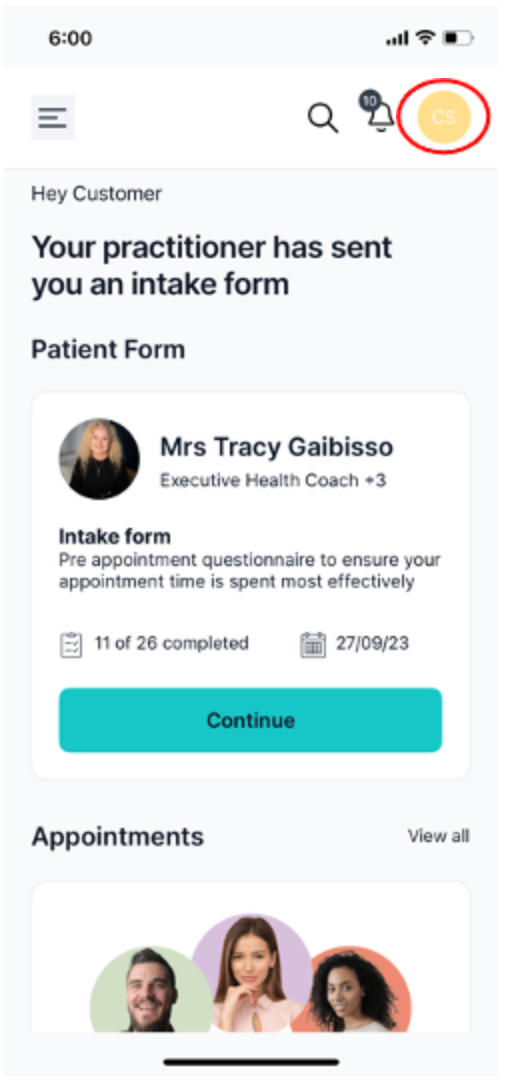
- Log in to the mobile app.
- On your Dashboard, click your PROFILE PICTURE in the top right corner.
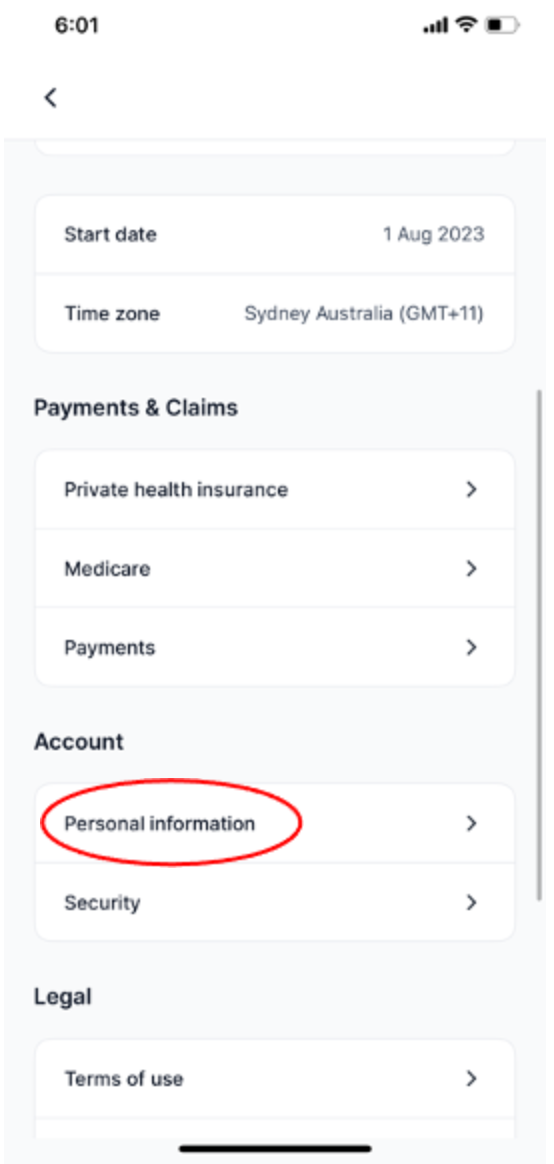
- Scroll down and click PERSONAL INFORMATION
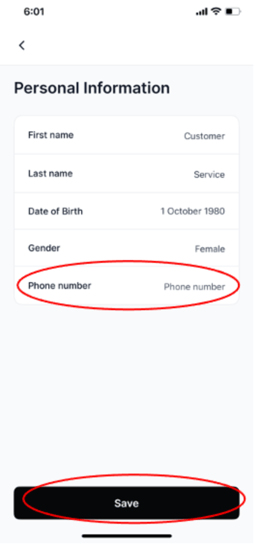
- Add your PHONE NUMBER
- Click SAVE