---
title: How do I apply a promo code?
description: How clients apply a practitioner's promo or discount code to an appointment in the HealthBank app or web dashboard.
image: https://help.healthbank.io/hubfs/Help%20article%20graphics/Home/help-centre-share.png
---
[Skip to content](https://help.healthbank.io/how-do-i-add-a-promo-code#main-content)
Open main navigation
Close main navigation
Advice and answers from the HealthBank Team
- There are no suggestions because the search field is empty.
1. [HealthBank Help Centre](https://help.healthbank.io/?hsLang=en)
2. [Payments & payouts](https://help.healthbank.io/payments-payouts?hsLang=en)
October 16, 2026
# How do I apply a promo code?
## Open your appointment, select Add promotion, enter your code and apply it. This is available up to 24 hours before the appointment.
If your practitioner has given you a promo code, add it to your appointment before you're charged. You can add a code up to 24 hours before the appointment through the web app or the mobile app.
### Web app
1. Log into your account
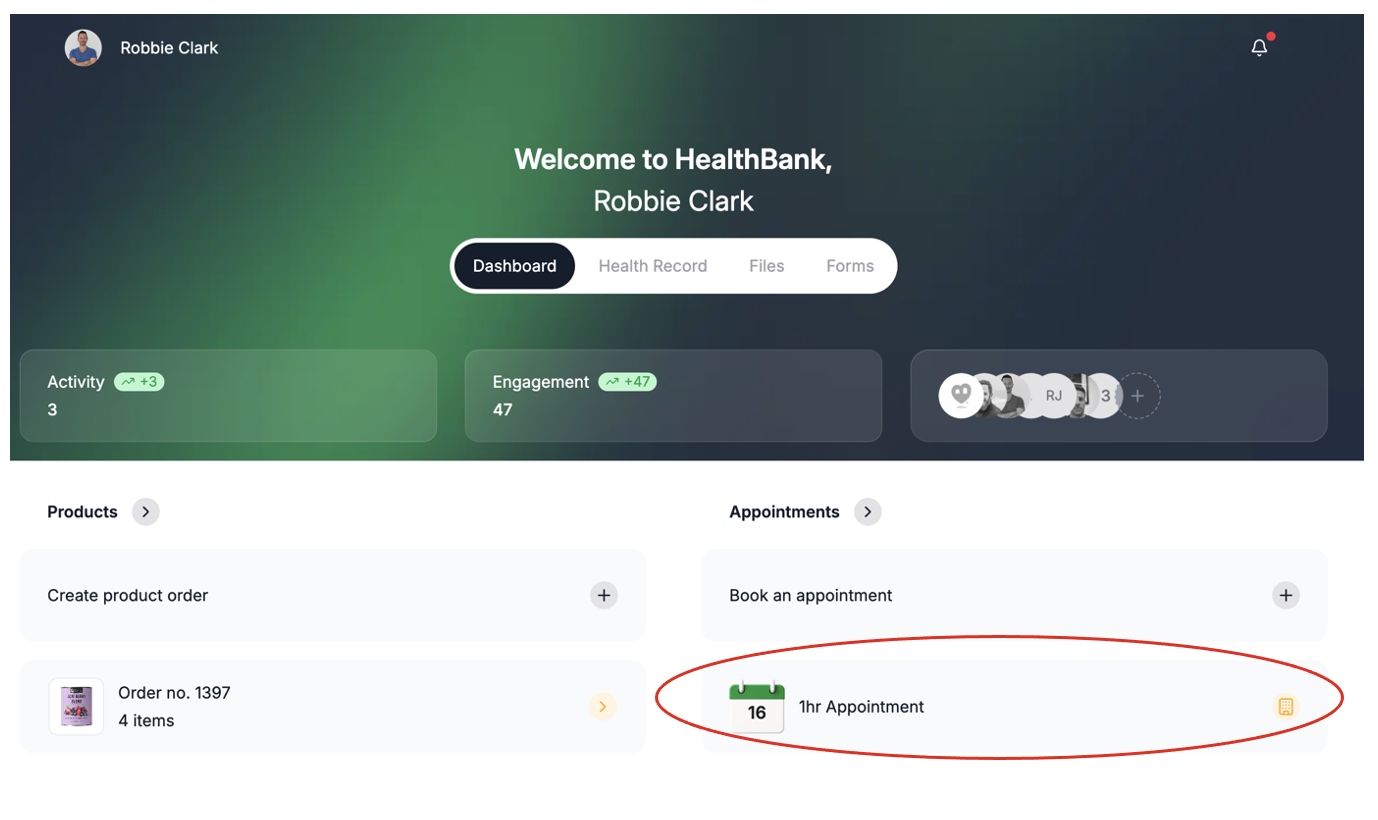
2. On your **Dashboard**, click on the appointment under **Appointments**.
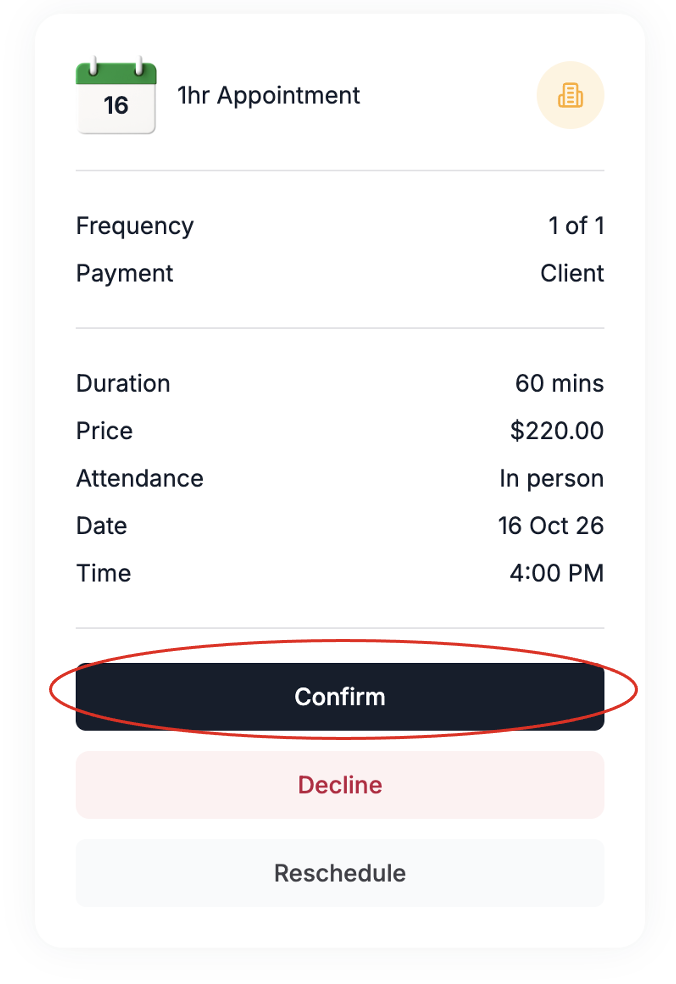
3. In the side bar, click **Confirm**.
### Mobile app
1. Log in to the app.
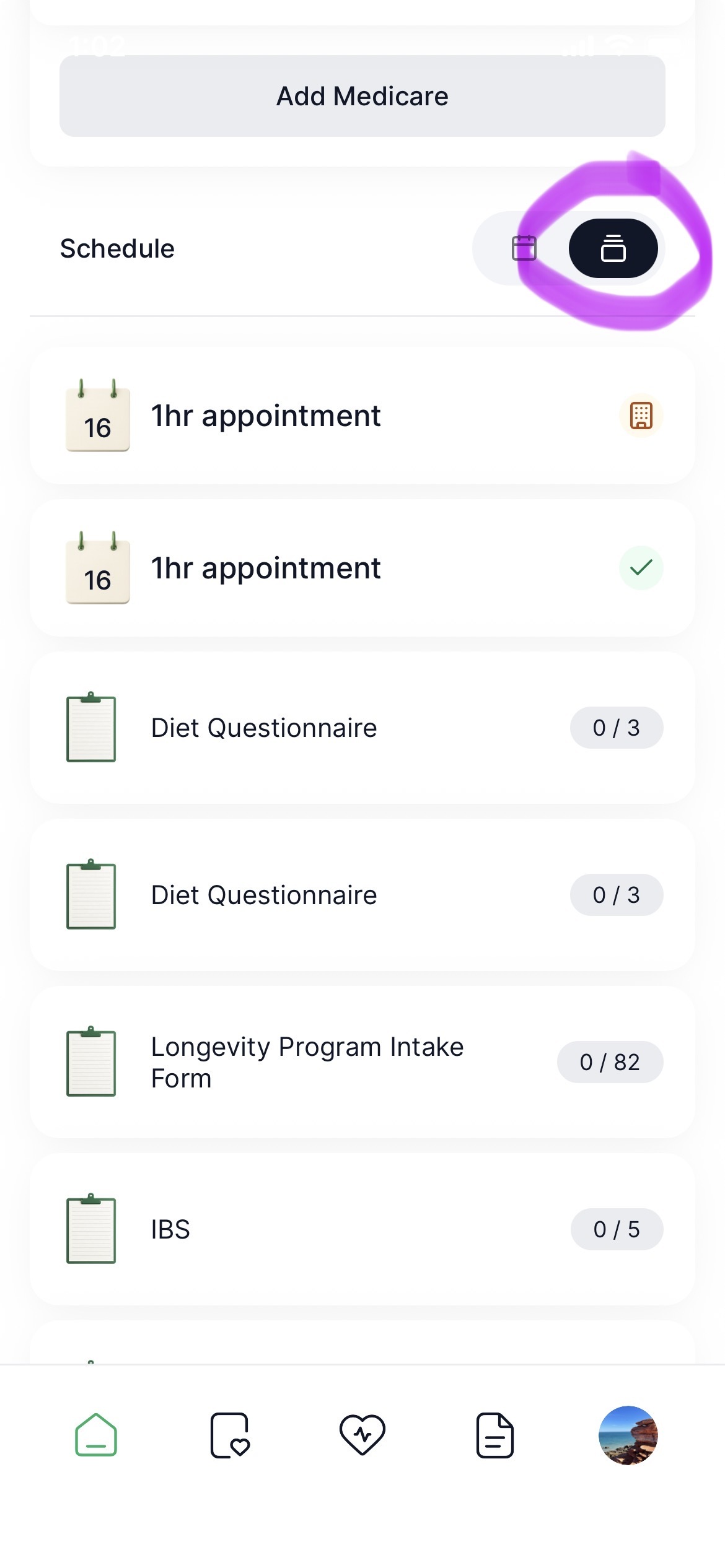
2. Scroll down to Calendar and tap the **Schedule icon**.
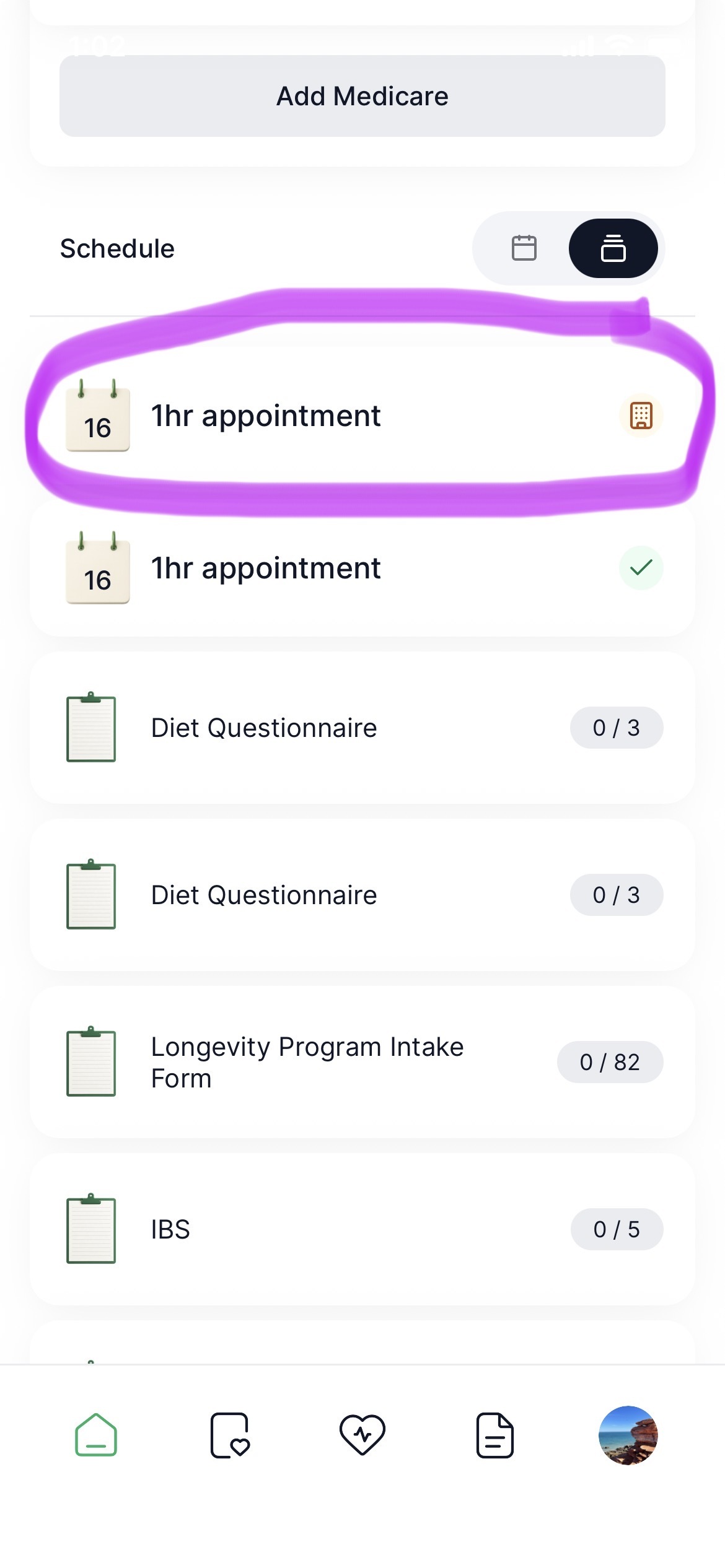
3. Select the appointment you wish to apply the promo code to.
4. Click **+ Add promotion code**.
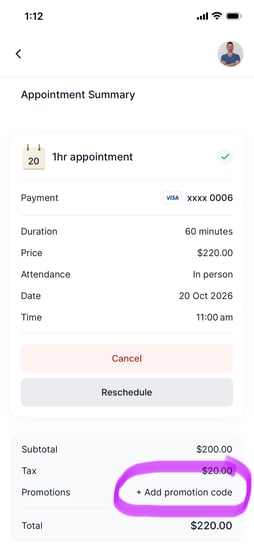
5. Enter the promo code and click **Continue**.
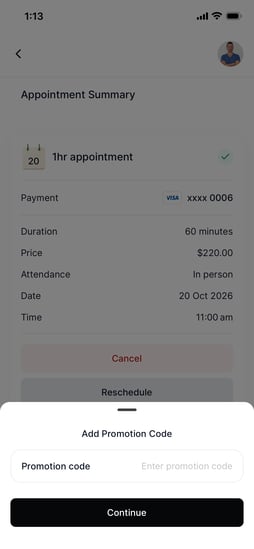
6. The discount has been applied.
[Open HealthBank →](https://dashboard.healthbank.io/app/dashboard)
[](https://www.dashboard.healthbank.io)
HealthBank
85 William Street,
Sydney
[mailto:help@healthbank.io](mailto:help@healthbank.io)
Copyright © 2026, HealthBank Technologie Pty Ltd