.svg)
Introducing our new Forms feature
Our Form Builder feature means you can build forms from a range of questions from our question library. You can also create your own custom question types including multiple choice, drop-down, free text, and date picker. These forms can be digitally completed by your clients directly from the client mobile app. Once a client completes the form, it is directly saved to their profile.
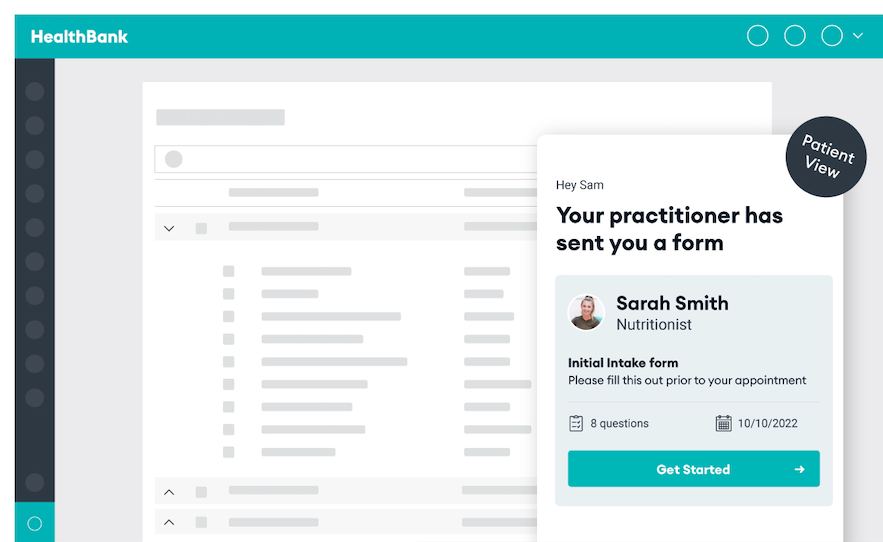
Key benefits
- Build forms in seconds
- Attach forms to appointment types (or share them separately)
- Patients can answer forms any time, anywhere through the HealthBank mobile app
- Tracking and notifications on where your client is up to
- See the answers in real time
- Responses automatically saved to your client record
- All responses collected in the patient's HealthBank record
FAQs
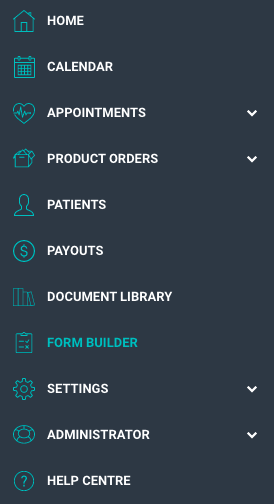
Where do I find the form builder?
The form builder is accessible from the left hand navigation panel:
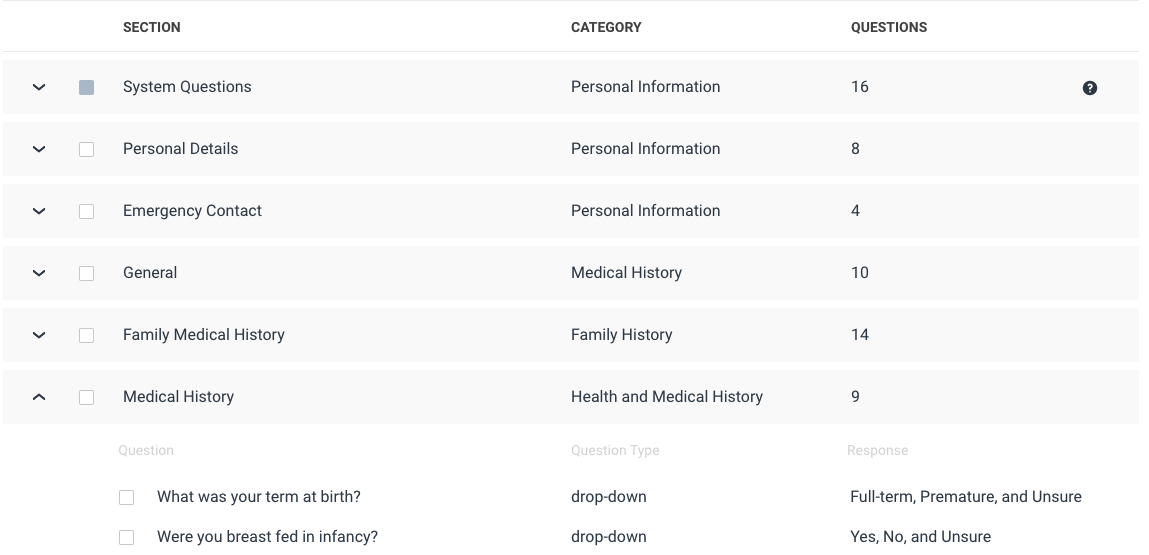
How do I build a form?
Select new form, and tick the questions you want to include in your form, ticking the category will add all the questions from that category.
What is the question bank?
The question bank allows you to build online forms faster, easier, and cleaner. The question bank has questions from a range of categories including:
- Personal details
- Medical history
- Family history
- Social history
- Stress and mood
- Nutrition
- Sleep
- Exercise
- Gastrointestinal health
- Hormone health
- Men’s health
- Women’s health
- Cardiovascular health
- And MORE
What if the question I need is not in the question bank?
You can create up to 5 custom questions which will be saved to your form builder under custom questions. Read the how-to article here.
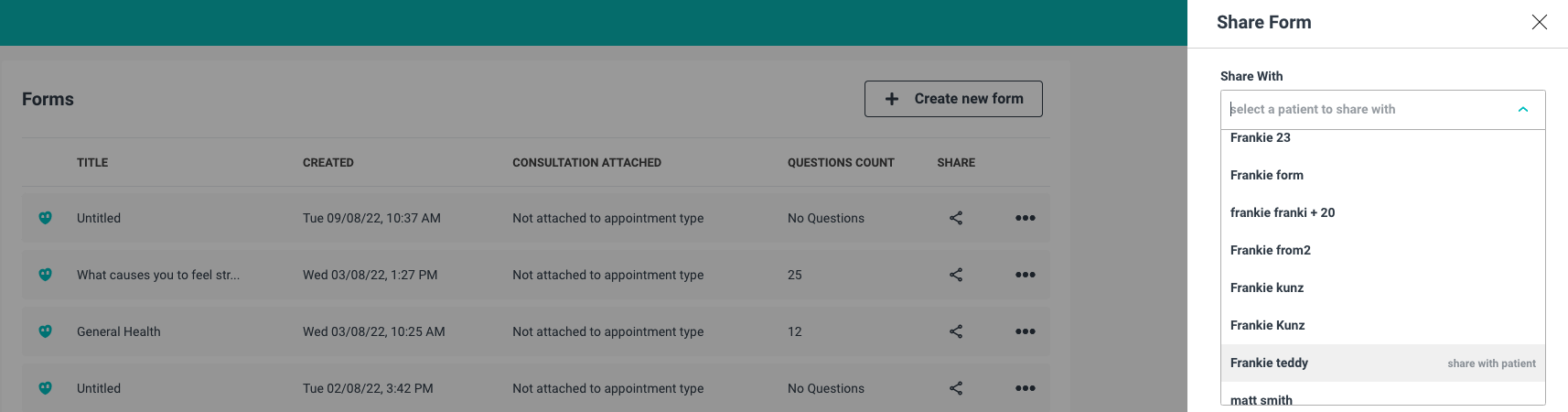
How do I share my form with my patients?
You can attach forms to appointment types which will send a copy of the form to every patient who confirms a booking for that appointment type.
OR
Share the form with a patient from your form library, sharing forms directly is a great way to send follow-up questions, or treatment tracking surveys .
How can I Attach forms to appointments?
You can also attach forms to specific appointment types, which means clients will automatically receive the chosen form any time they book the appointment so you can “set and forget”. Read the how-to article here.
Where can I access the responses?
The forms that have been sent to patients can be found in the forms section on your patient's file.
You will be notified by dashboard notification and email when the patient starts the form and when they submit it.
You can view the responses in realtime on the form copy on your patient file
When a patient completes a form, it automatically gets saved to their HealthBank Record, which is easily accessible from the client file.
What if your client forgets to fill out a form or does not have the mobile app?
No problem, we've got you covered. We’re all busy and forgetful sometimes. If a client forgets to fill out their form before their appointment you can fill it out with them in real-time during your appointment. Simply access your client’s HealthBank Record from their file and the form will be blank and able to be edited. Read the how-to article here.
Got Feedback or Suggestions?
We LOVE feedback and suggestions so we can keep our practitioners happy. If you have features that you would like to see on HealthBank, don't hesitate to reach out at hello@healthbank.io.